Master the keys to personality disorder treatment, absolutely free.
Join psychologist and award-winning author Dr. Dan Fox for one full day of evidence-based interventions grounded in DBT, CBT, schema therapy and parts work — with case studies, worksheets and video examples for each Cluster B type.
A $249.99 Value · Free to Attend
Wednesday, October 14, 2026 | 9:00 AM – 5:00 PM CT
Earning CE Credit
Attending is always free. If you would like CE credit for attending, here is what's included and what each option requires.
Do I have to pay for CE Credit?
We are offering the option for attendees to earn CE Credit from this free event by purchasing Live or Self-Study CE hours for $89.99. You can find the CE approval information for the live event here.
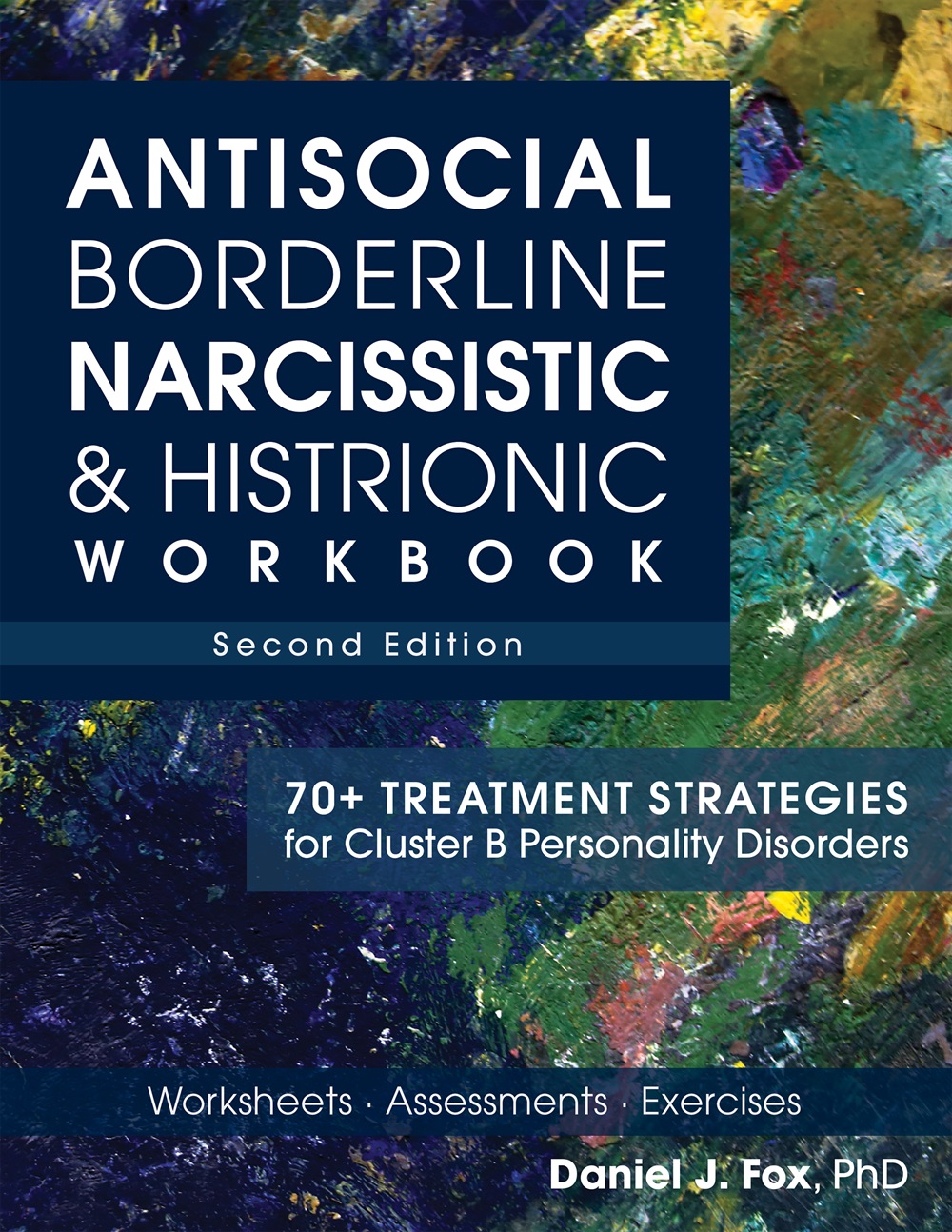
Every CE upgrade includes a copy of Dr. Fox's new book, Antisocial, Borderline, Narcissistic & Histrionic Workbook, Second Edition (a $29.99 value), shipped to your door. CE plus the book: a $279.98 value, just $89.99.
- Live access to the free virtual event
- 3-day replay access
- No CE credit or book included
- Up to 6.25 live CE hours
- 3-day recording access
- Dr. Fox's book, shipped to your door
- Up to 6.25 self-study CE hours
- Unlimited recording access
- Dr. Fox's book, shipped to your door
CE credit is added from your account, not at registration. After you register, go to the Pending Seminars tab in your account and choose Live CE or Self-Study CE.
I purchased the self-study CE. How do I access it?
When will the free replay be available, and for how long?
Logging In & Access
You'll join through your PESI account, using the email address you registered with.
How to join the live training
- Log in at pesi.com/account/myaccount
- Find the event title in your account
- Click the green Launch Online Course button below it
First time with a PESI online program, or can't remember your password? Use the "Forgot your password?" link on the login page to reset it.
I see the message "We cannot find an account with this email address"
Not seeing the event in your account?
What is the schedule for the live event?
Will I be able to ask Dr. Fox questions?
Is the live training really free?
Attending the Webinar
You will only be able to join from one device at a time, so use your own personal contact information. Here is how to prepare, and what to do if something goes wrong once you are in.
What should I do to prepare for the live webinar?
We also recommend that for the best viewing experience, you use a laptop or desktop computer. You can join the webinar with an iPad, tablet, Chromebook, or web client, however, there are limited features with these. To see the comparison, click here: Desktop client, mobile app, and web client comparison, Zoom Help Center.
How do I test my connection prior to the event?
You can complete a connection speed test by clicking here: Speedtest by Ookla, The Global Broadband Speed Test. We recommend a wired internet connection with at least 1Mbps of download speed for the best viewing experience.
What should I do if I experience technical difficulties?
The video feed is breaking up:
- Close out of all other applications on your device.
- Move closer to your router.
- If you are on Wi-Fi, connect to your router via ethernet cable.
- Turn off other optional devices using Wi-Fi. This is especially important if you are on your personal Wi-Fi and there are other devices in the home streaming videos or games.
- Restart your device.
My sound is not working:
- Test your audio settings. You can do this by clicking the arrow next to "Audio Settings" in the lower-left-hand corner in Zoom.
- Use headphones instead of the speakers on your device.
- Exit the webinar and rejoin.
I cannot see the speaker and/or the screen they are sharing:
- Exit the webinar and rejoin.
- Use a laptop or desktop computer for the best viewing experience.